Draft and sign a constat (early access)
The iPhone app is in French: its labels are quoted as they appear on screen, followed by their translation. You get a constat drafted by a member of the firm, then signed by an Authorized signatory: once signed, the deed is final and its content can no longer be edited.
Before you start
- Any active member of the firm drafts a constat; only an Authorized signatory signs it. An Administrator gives this attribute on the Members screen.
- On iPhone, the Marto app signed in to your firm, and a connection.
Steps
-
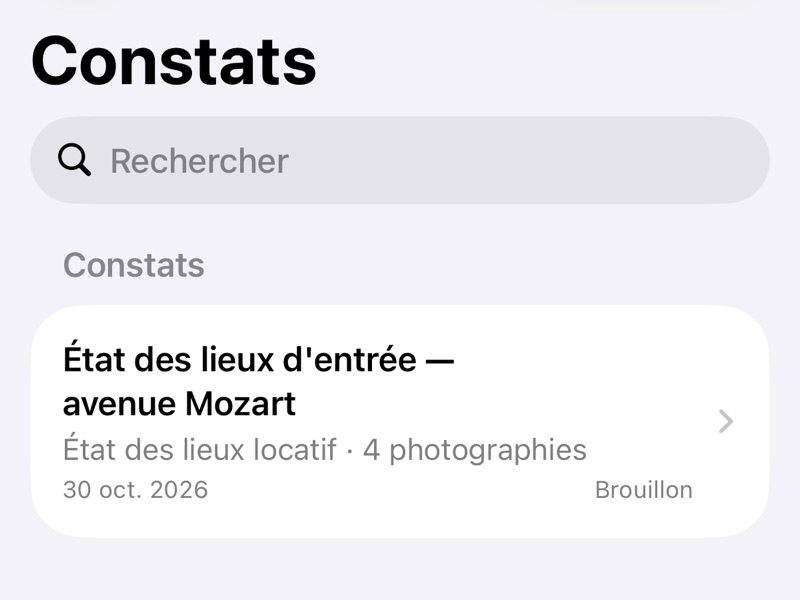
On the web, choose New constat in Constats. On iPhone, tap Constat (+) in the Constats tab.
-
Write the constat: its text blocks and its photographs, on iPhone with Texte (Text) and Images (Images). Until it is signed, it is a draft: its PDF carries "DRAFT — NOT SIGNED" ("PROJET — NON SIGNÉ" when the firm's documents are in French).
-
To sign on the web, the Authorized signatory opens the constat, chooses Export as PDF, then Sign the constat in the dialog, and confirms with Sign.
-
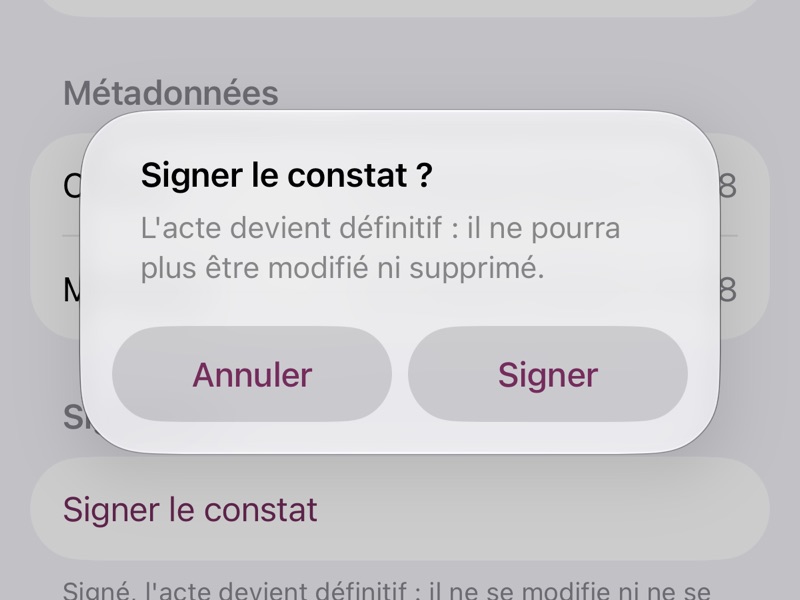
To sign on iPhone, they open the constat, tap Options (⋯), then Modifier le constat (Edit the constat) and Signer le constat (Sign the constat), and confirm with Signer (Sign).
-
Once signed, the constat can no longer be edited. Its PDF comes from Export as PDF, on iPhone Exporter en PDF (Export as PDF) in Options.
A member who is not an Authorized signatory does not see Sign the constat.
If you get stuck
- Sign the constat does not appear: ask an Administrator to make you an Authorized signatory.
- On iPhone, Signer le constat (Sign the constat) stays greyed out: get a connection back.
- Anything else: on the web, choose Report a problem in your account menu; on iPhone, Compte › Signaler un problème (Account › Report a problem).